
VPS vs Dedicated Servers: Performance, Cost, and When to Upgrade
 By:
By: Table of Contents
Quick Answer
Bottom line: A VPS gives you an isolated virtual environment with allocated CPU, RAM, and storage on a shared physical host, while a dedicated server gives you an entire physical machine with all hardware resources reserved for your workloads. VPS is usually cheaper and easier to scale, while dedicated servers deliver the highest performance consistency, deepest hardware control, and stronger physical isolation.
| Best Short Answer | VPS is flexible and cost-efficient; dedicated servers deliver maximum power, consistency, and control. |
|---|---|
| Most Important Benefit | Dedicated server: full physical resources with predictable performance. |
| Main Tradeoff | Dedicated servers cost more and usually take more planning to scale. |
| Best For | VPS: growing apps and websites | Dedicated: databases, high-traffic platforms, heavy workloads. |
| Not Ideal For | VPS: workloads needing maximum raw throughput | Dedicated: small projects on tight budgets. |
What Does VPS vs Dedicated Servers Mean?
VPS hosting and dedicated servers are two different ways of giving users access to server infrastructure.
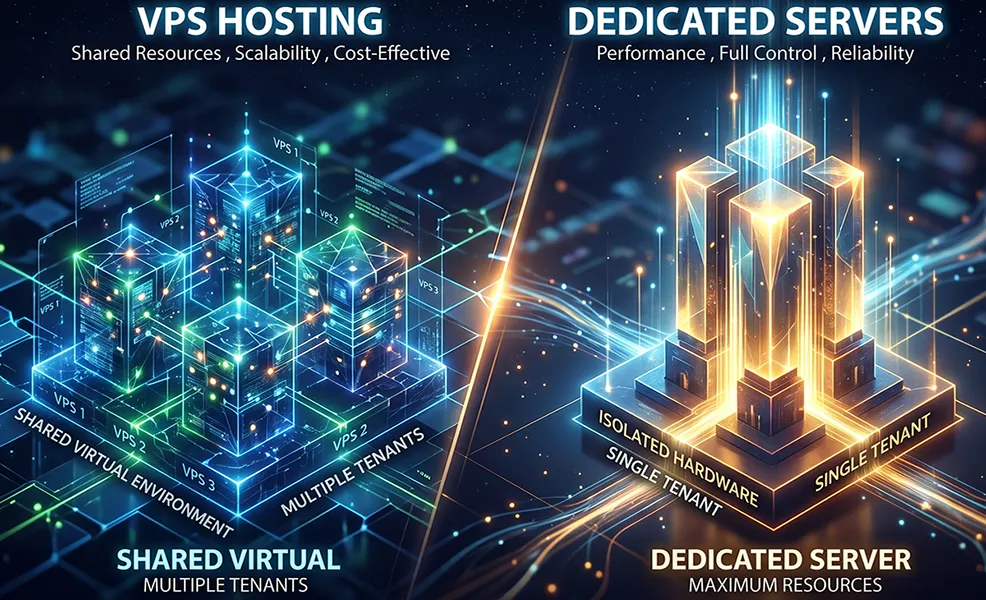
With a VPS, a hosting provider partitions a physical server into multiple isolated virtual environments using a hypervisor. Each VPS gets allocated resources such as RAM and CPU, but the underlying physical hardware is still shared with other VPS instances on that host.
With a dedicated server, you rent an entire physical machine. All of the server’s compute, storage, and networking resources are assigned to your applications, and you have much deeper control over hardware and low-level configuration.
Simple Definition
A VPS gives you a virtual slice of a physical server, while a dedicated server gives you the whole machine.
Real-World Example
A growing SaaS app can run well on a VPS because it gets isolated resources and can resize quickly, but a large transactional database or streaming platform often performs better on a dedicated server because there is no shared host contention or virtualization layer [web:9].
Why It Matters for Hosting and Infrastructure Buyers
Choosing between VPS and dedicated hosting has a direct impact on performance, cost, scalability, customization, and operational complexity.
- Performance: Dedicated servers provide maximum available hardware resources and the most predictable performance.
- Cost: VPS is usually more affordable because you only pay for part of a physical server.
- Scalability: VPS plans are typically faster and easier to resize than dedicated hardware.
- Customization: Dedicated servers allow deeper low-level control, including hardware-oriented choices and custom configurations.
- Security and compliance: Both can be secure, but dedicated servers can be preferable when strict compliance or physical isolation matters.
How It Works in Practice
In VPS Hosting
A hypervisor creates isolated virtual machines on top of a physical server. This lets providers allocate CPU, RAM, and storage to each VPS while keeping costs lower and scaling easier for customers.
In Dedicated Hosting
You receive a full physical server with all resources reserved for your applications. This is ideal when you need full access to server architecture, maximum throughput, specialized hardware configurations, or stronger control over security measures.
In Real Infrastructure Planning
Many teams start on VPS because it is affordable and flexible, then migrate to dedicated servers once workloads become resource-intensive, latency-sensitive, or dependent on custom hardware configurations such as RAID arrays, large memory pools, or specialized network setups.
Comparison Table
| Option | How It Works | Best For | Main Tradeoff |
|---|---|---|---|
| VPS Hosting | Virtual machine on shared physical hardware with allocated resources | Web apps, development, growing websites, SMB workloads | Performance can vary more than dedicated servers [web:9] |
| Managed VPS | VPS with provider help for setup, maintenance, and updates | Businesses that want VPS flexibility with less sysadmin burden [web:31] | Costs more than unmanaged VPS [web:31] |
| Dedicated Server | Entire physical machine assigned to one customer | Large databases, AI, streaming, gaming infrastructure, high-traffic apps | Higher cost and slower scaling |
| Bare Metal Cloud | Dedicated physical server delivered through cloud-style provisioning | Teams needing dedicated resources with more cloud-like operations | Still more expensive than VPS in most cases |
Important: A high-quality VPS can outperform an old or poorly configured dedicated server for some workloads, but dedicated servers usually win when you need maximum raw performance, highly consistent latency, or specialized hardware control [web:9].
Pros and Cons
Pros
- Lower cost than dedicated hosting for most projects.
- Fast and easy scaling by reallocating virtual resources.
- Good balance between affordability and performance.
- Well-suited for websites, test environments, business apps, and many growing workloads.
- Often easier to deploy quickly than dedicated hardware.
Cons
- Underlying physical hardware is still shared.
- Less raw performance than a full dedicated machine [web:9].
- May have restrictions compared with full hardware access.
- Performance consistency can be affected by host-level contention [web:31].
- May not fit strict compliance or high-end infrastructure needs as cleanly as dedicated hardware.
Dedicated Server Advantages
- Full access to all server resources and hardware capacity.
- Most predictable performance for sustained heavy workloads.
- Deep customization, including storage, OS, and security configuration choices.
- Strong fit for AI, big data, streaming, gaming, and large databases.
- Better match for workloads that need physical isolation or strict compliance narratives.
Dedicated Server Drawbacks
- Higher monthly cost because you reserve the whole machine [web:11].
- Scaling usually takes more effort than resizing a VPS.
- Can require more technical expertise for effective management [web:31].
- May be unnecessary overkill for smaller sites or early-stage projects.
- Provisioning and hardware changes can take longer than virtual server upgrades [web:31].
Who Is VPS vs Dedicated Servers Best For?
Best For VPS
- Growing websites and SaaS apps.
- Development, testing, and staging environments.
- Small and medium businesses that need flexibility without full bare metal cost.
- Users who expect to scale resources over time.
Best For Dedicated Servers
- High-traffic production websites and APIs.
- Large databases, analytics, and data-heavy workloads.
- AI, streaming, and gaming infrastructure.
- Organizations needing hardware control or stronger physical isolation.
Common Mistakes to Avoid
Mistake #1: Choosing Only by Monthly Price
VPS is cheaper at the start, but heavy long-term workloads may justify dedicated hardware if performance consistency is mission-critical.
Mistake #2: Assuming VPS and Dedicated Perform the Same
VPS can be excellent for many applications, but dedicated servers generally deliver more raw throughput and fewer contention risks [web:9].
Mistake #3: Overbuying Dedicated Hardware Too Early
Many projects launch successfully on VPS and only need dedicated servers after they mature, scale, or develop more demanding infrastructure needs.
Mistake #4: Ignoring Operational Complexity
Dedicated servers often require more planning around hardware choices, scaling, maintenance, and advanced administration than standard VPS deployments [web:31].
Recommended Provider Types
Choosing the right provider depends on your budget, technical experience, workload profile, and whether you prioritize flexibility or raw hardware performance.
| If You Need... | Look For... | Example Providers to Compare |
|---|---|---|
| Low-cost VPS | Affordable plans, fast scaling, simple deployments | Hetzner, OVHcloud, Scaleway |
| Developer-friendly VPS | APIs, snapshots, quick resizing, cloud workflows | DigitalOcean, Vultr, Linode |
| Dedicated and bare metal hosting | Custom hardware, predictable performance, stronger isolation | Hetzner, OVHcloud |
| Enterprise cloud and hybrid infrastructure | Dedicated hosts, global regions, advanced networking, compliance tooling | AWS, Google Cloud, Azure, Oracle Cloud |
Compare Hosting and Server Providers
The best provider depends on whether you need inexpensive virtual resources, managed simplicity, dedicated hardware, or enterprise-grade infrastructure options.
Final Verdict
Final takeaway: VPS is usually the smarter starting point for websites, apps, and growing projects because it is affordable, scalable, and fast to deploy, while dedicated servers are the better long-term choice when you need maximum hardware performance, deeper customization, or stronger physical isolation.
For most small to mid-sized production workloads, a good VPS gives you enough performance and flexibility without the cost of reserving an entire machine . Once your application becomes resource-intensive, latency-sensitive, heavily regulated, or dependent on custom hardware layouts, dedicated servers become the more appropriate option.
Frequently Asked Questions
Is VPS faster than a dedicated server?
No, not usually. A dedicated server generally provides more raw performance and more consistent access to hardware resources, while VPS is better described as a strong balance of cost and performance [web:9].
Is a VPS cheaper than a dedicated server?
Yes. VPS hosting is usually cheaper because you are paying for a portion of a physical server rather than reserving the entire machine.
When should I move from VPS to dedicated hosting?
You should consider moving when your workload becomes consistently resource-intensive, highly latency-sensitive, compliance-heavy, or dependent on custom hardware and storage configurations.
Are dedicated servers better for security?
They can be, especially when physical isolation, custom security controls, or compliance requirements are important. However, VPS environments can still be highly secure when properly managed.
What is VPS best for?
VPS is best for websites, business applications, development environments, and growing projects that need isolated resources, lower costs, and easier scaling than dedicated hardware.