
The 5 Best 27-Inch IPS Monitors for 2026

 By:
By: Table of Contents
- Our Top Picks at a Glance
- Which Pick Is Best for You?
- #1 Best Budget
- #2 Best Overall
- #3 Best Premium
- #4 Best for Gaming
- #5 Best for Productivity
- How We Picked
- What to Look For in a 27-Inch Monitor
- Frequently Asked Questions
- Final Verdict
Disclosure: Most product links lead directly to an affiliate partner. For example, Digmodo participates in the Amazon Services LLC Associates Program, an affiliate advertising program providing a means for sites to earn advertising fees by linking to Amazon.com.
Quick recommendation: If you want the strongest overall value, start with KTC M27P6. It combines 4K sharpness, mini-LED HDR performance, a 160Hz refresh rate, USB-C, and KVM support at a much friendlier price than many flagship displays.
Our Top Picks at a Glance
| Rank | Product | Best For | Key Strength | Price |
|---|---|---|---|---|
| #1 | KTC M27P6 | Best Budget | Strong 4K mini-LED HDR value for the money | $430–$500 |
| #2 | Acer Nitro XV275K P5biipruzx | Best Overall | 4K IPS with very high refresh, USB-C, hub, and KVM versatility | $700–$800+ |
| #3 | Acer XV275U F3 | Best Premium | 320Hz 1440p IPS with mini-LED HDR and wide-gamut color | $550–$650 |
| #4 | MSI MPG 272QRF X36 | Best for Gaming | 360Hz IPS speed with excellent motion performance | $550–$700 |
| #5 | Dell S2725QC | Best for Productivity | 4K clarity, USB-C power delivery, and practical office features | $450–$550 |
Which Pick Is Best for You?
Choose the KTC M27P6 if...
You want impressive 4K HDR performance and modern features at a much friendlier price than flagship displays.
Choose the Acer Nitro pick if...
You want one premium 27-inch IPS monitor for work, gaming, and everyday use without the burn-in concerns of OLED.
Choose the Acer XV275U F3 if...
You want a fast 1440p IPS panel with stronger HDR, very wide color coverage, and fewer performance compromises.
Choose the Dell S2725QC if...
You care most about ultra-high refresh rates, low blur, and competitive responsiveness over office-first features.

KTC M27P6
Best BudgetThe KTC M27P6 is our budget-minded recommendation not because it is cheap in an absolute sense, but because it delivers features that normally sit much higher up the price ladder. DisplayNinja lists it as the best 27-inch 4K HDR gaming monitor in its 2026 guide and points to its 160Hz refresh rate, 1152-zone mini-LED backlight, strong HDR brightness, USB-C with 65W power delivery, and KVM support.
If you want 4K sharpness and real HDR impact without jumping to a much more expensive flagship display, this is the value sweet spot. The main caveat is that mini-LED still cannot fully match OLED black levels, and 4K gaming at high refresh will still push your graphics card hard.
What We Like
- Excellent 4K mini-LED HDR performance for the price.
- High 160Hz refresh rate works well for both gaming and everyday use.
- USB-C with 65W power delivery and KVM support adds real desk versatility.
- Its 1152-zone backlight provides much stronger contrast and HDR impact than standard IPS monitors.
Keep in Mind
- It is affordable relative to premium mini-LED monitors, but not a true entry-level budget option.
- Mini-LED blooming can still appear around bright objects on dark backgrounds.
- Running modern games at 4K and high refresh rates requires a powerful graphics card.
Best for: Buyers who want one 27-inch IPS monitor that can handle work, gaming, media, and multitasking at a high level, but without the premium price.
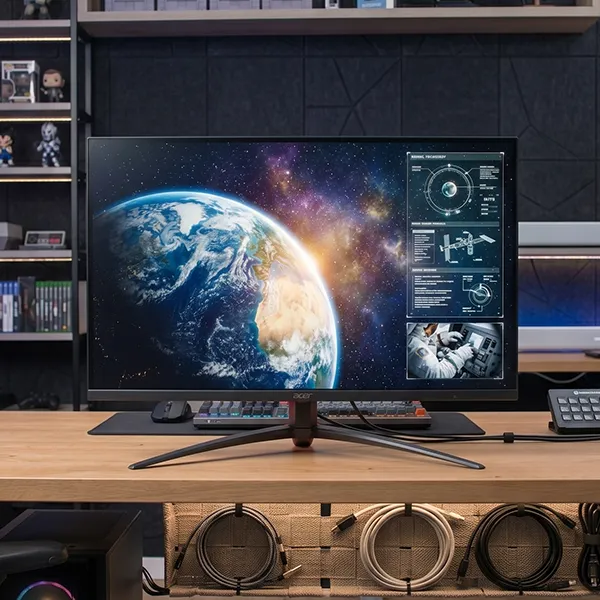
Acer Nitro XV275K P5biipruzx
Best OverallAcer Nitro XV275K P5biipruzx is our favorite overall pick because it does more things well than almost any other 27-inch IPS monitor we found. RTINGS highlights it as a versatile choice that combines 4K sharpness, a very high refresh rate, USB-C, a USB hub, and a KVM switch, while also avoiding the burn-in risk that comes with many top OLED alternatives.
What We Like
- Very strong balance of 4K clarity, high refresh performance, and day-to-day versatility.
- Useful extras like USB-C, USB hub support, and KVM switching.
- Better suited to mixed work and gaming than many OLED rivals.
- Brighter and easier to use in well-lit rooms than many OLED options.
Keep in Mind
- It is still a premium-priced monitor.
- As an IPS display, native contrast is weaker than OLED or VA.
- Some HDR blooming can still be visible in difficult scenes.

Acer XV275U F3
Best PremiumThe Acer XV275U F3 stands out because it does not force you to choose between speed and image quality. DisplayNinja highlights its 320Hz refresh rate, 1152-zone mini-LED backlight, up to 1000 nits brightness, and broad color coverage that reaches 99% DCI-P3 and 99% Adobe RGB, making it unusually capable for both gaming and color-sensitive work.
This is the premium pick for buyers who prefer 1440p over 4K because it is easier to drive at very high frame rates while still looking sharp at 27 inches. Compared with standard IPS esports displays, it adds more compelling HDR and better color performance, though it still carries a higher price than simpler 1440p options.
What We Like
- Combines an ultra-fast 320Hz refresh rate with much stronger HDR than a typical esports monitor.
- The 1152-zone mini-LED backlight and high peak brightness create impressive highlights and contrast.
- Wide color coverage makes it useful for gaming, media, and color-sensitive creative work.
- 1440p is easier to drive at high frame rates than 4K while still looking sharp at 27 inches.
Keep in Mind
- It costs considerably more than basic 1440p high-refresh monitors.
- Mini-LED blooming may still be visible in demanding dark scenes.
- Taking full advantage of 320Hz requires a powerful system and games that can reach very high frame rates.
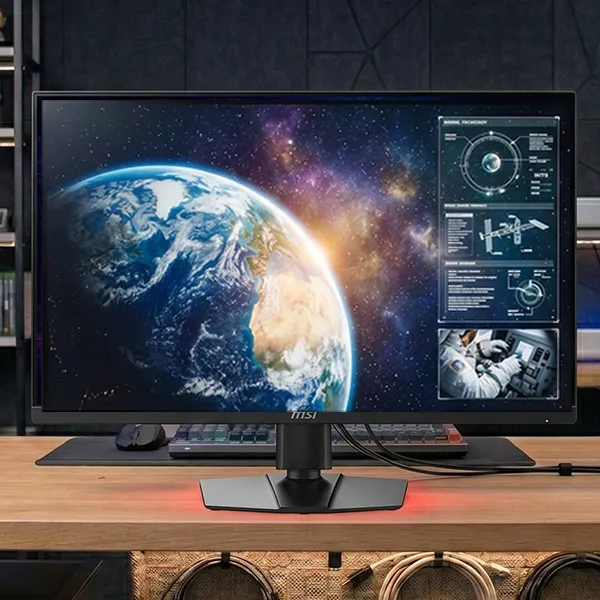
MSI MPG 272QRF X36
Best for GamingIf your priority is pure speed, the MSI MPG 272QRF X36 is the best gaming-specific IPS option of the group. DisplayNinja recommends it as one of the top 27-inch gaming monitors thanks to its 360Hz refresh rate, fast response behavior, wide color gamut, and G-SYNC Pulsar support for better motion clarity in fast-paced games.
This is the pick for competitive players who care more about fluid motion and low blur than dramatic HDR. It is less impressive for movie-like contrast than the mini-LED Acer or KTC models, but it makes more sense if your main genres are shooters, esports titles, and other fast reaction games.
What We Like
- The 360Hz refresh rate and fast response behavior are ideal for competitive gaming.
- Excellent motion clarity helps fast-moving targets and camera movement remain easier to track.
- Wide color-gamut support gives games a more vibrant appearance than many basic esports displays.
- G-SYNC Pulsar support adds another motion-performance advantage for compatible systems.
Keep in Mind
- HDR and dark-scene contrast are less impressive than on the mini-LED models in this roundup.
- Its gaming-first feature set is less compelling for office-focused buyers.
- You need very high frame rates to fully benefit from the 360Hz refresh ceiling.
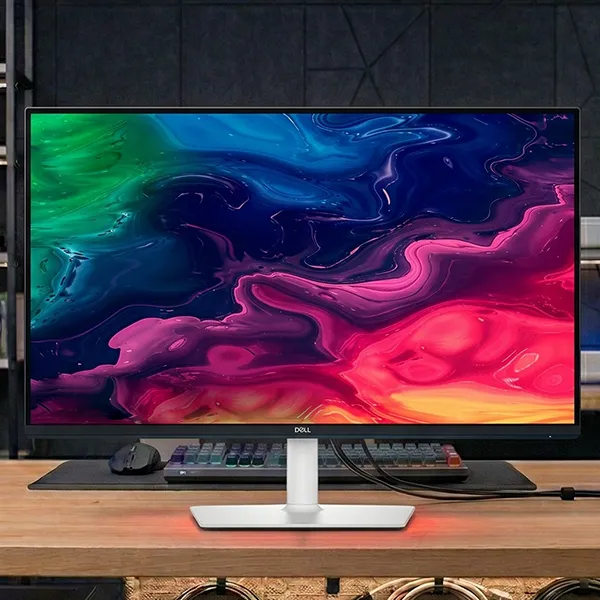
Dell S2725QC
Best for ProductivityThe Dell S2725QC is the easiest recommendation here for office-heavy buyers. RTINGS points to its sharp 4K IPS panel, 120Hz refresh rate, HDMI 2.1 support, USB hub, and 65W power delivery over USB-C, which makes it especially appealing for laptops and uncluttered desk setups.
It is not the best choice for serious HDR use because it lacks local dimming and still has typical IPS contrast limitations, but that tradeoff is easy to accept for many work-focused users. If your day revolves around documents, spreadsheets, browser tabs, coding windows, and occasional casual gaming, this is the most sensible productivity pick in the roundup.
What We Like
- Sharp 4K resolution is excellent for text, spreadsheets, coding, and multitasking.
- USB-C with 65W power delivery supports a clean single-cable laptop setup.
- The 120Hz refresh rate makes everyday scrolling and casual gaming feel smoother than standard 60Hz office monitors.
- A built-in USB hub and HDMI 2.1 support add useful connectivity for mixed work and home use.
Keep in Mind
- It lacks local dimming, so it is not a strong choice for serious HDR viewing.
- Typical IPS contrast means blacks can look gray in a dark room.
- The 65W USB-C output may not provide full-speed charging for more demanding laptops.
How We Picked
For this roundup, we prioritized 27-inch monitors that use IPS technology and are recommended in current 2026 buying guides rather than older legacy favorites. We focused on panel quality, resolution, refresh rate, HDR capability, color performance, ergonomics, connectivity, and how well each model serves a distinct buyer type.
We also excluded many otherwise top-ranked 27-inch monitors because they use OLED panels, not IPS. That matters because IPS buyers are usually optimizing for bright-room performance, productivity comfort, wider color consistency, and freedom from OLED burn-in concerns.
What to Look For in a 27-Inch Monitor
Frequently Asked Questions
Is 27 inches a good monitor size?
Yes. A 27-inch monitor remains one of the easiest sizes to recommend because it gives you more usable space than 24-inch displays without needing an unusually deep desk.
Is 1080p good enough on a 27-inch monitor?
It can still work for strict budget buyers, but most 2026 recommendations in this size lean toward 1440p or 4K because those resolutions look sharper and make better use of a 27-inch panel.
Is 1440p better than 4K for a 27-inch monitor?
It depends on your priorities. 1440p is usually the better value for high-frame-rate gaming, while 4K is better for text clarity, fine detail, and mixed productivity use.
What panel type is best for most people?
IPS is still the safest all-around choice for most buyers because it offers better viewing angles and dependable color performance, though OLED and VA can outperform it in contrast.
Final Verdict
If you want our top-ranked 27-inch IPS monitor, KTC M27P6 is the one we would start with. It offers an especially strong blend of 4K sharpness, mini-LED HDR performance, gaming features, connectivity, and overall value.
That said, the right choice still depends on your priorities. The Acer Nitro XV275K P5biipruzx is the stronger premium all-rounder, the Acer XV275U F3 is the more premium 1440p enthusiast option, the MSI MPG 272QRF X36 is the gaming specialist, and the Dell S2725QC is the most practical office-focused choice.
Ready to choose your monitor?
Start with our #1 pick, then compare the premium all-rounder, premium 1440p, gaming, and productivity alternatives if you have a more specific use case in mind.
Editorial note: Product pricing, availability, specifications, and warranty terms can change over time. Always confirm the latest details with the retailer or manufacturer before purchasing.